

How to Create a Server in CS 2
The recently released Counter Strike 2 has many imperfections, so players often don't know how to create a server in CS 2. There are numerous ways to play together with friends. You can host your own server, create a lobby, or join an existing one.
In previous versions of the game, this didn’t cause any difficulties. It was enough to simply launch a bot practice mode, and your friend could join. In Counter-Strike 2, this no longer works. You must either connect to third-party servers or create your own network using external programs. Perhaps over time, developers will address the inconvenience of creating a personal server and fix it.
- How to add someone to your friend list
- How to play with someone from your friend list in CS 2
- How to create a lobby in CS 2
- How to close a lobby
- How to create your own server in CS 2
- How to create a local offline server
- Possible issues
How to Add Someone to Your Friend List
To play together with a friend, first you need to add them to your Steam friends list. To do this:
- Open your friends list in Steam.
- Click the icon next to the search bar.
- Enter the nickname or friend code provided by your friend. The code can be found in their profile settings.
- After sending the request, your friend must confirm it.
Open your friends list in Steam.
Click the icon next to the search bar.
Enter the nickname or friend code provided by your friend. The code can be found in their profile settings.
After sending the request, your friend must confirm it.
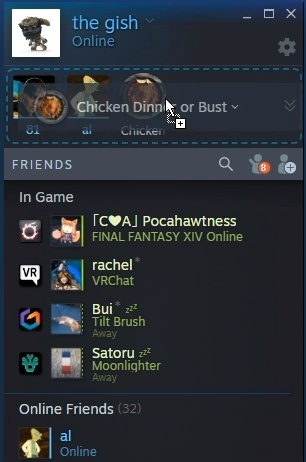
Once confirmed, your friend will appear in your friends list. Now you can play together not only in CS 2 but also in any online games that support friend-finding features.
If your friend isn't in your Steam friends list, you won't be able to invite them into your lobby for official game modes such as Wingman or Casual MM. However, this won't prevent you from adding them to your own dedicated server, as connection there is done via IP.
How to Play with Someone from Your Friends List in CS 2
There are several methods available, differing in connection type and customization options:
- Official gameplay - competitive matches and Wingman mode. If you want to have fun with a friend, this option is not suitable.
- Private matchmaking - allows you to create your own CS 2 server where your friends can join. Matches run on Valve's servers. This is the best option if you just want a friendly match.
- Community servers - unofficial servers created by other players. These often feature mods and plugins that alter gameplay and textures.
- Local dedicated server - hosted directly on your computer, giving you full control over it.
Official gameplay - competitive matches and Wingman mode. If you want to have fun with a friend, this option is not suitable.
Private matchmaking - allows you to create your own CS 2 server where your friends can join. Matches run on Valve's servers. This is the best option if you just want a friendly match.
Community servers - unofficial servers created by other players. These often feature mods and plugins that alter gameplay and textures.
Local dedicated server - hosted directly on your computer, giving you full control over it.
How to Create a Lobby in CS 2
To create a lobby, simply open the friends menu in the main menu and send an invitation. Once accepted, a lobby will be created. You can then play all official ranked modes together—just press 'Find Game'.
How to Close a Lobby
After creating a lobby, you can make it private so only invited friends can join. Go to map selection; on the left panel, you’ll find a toggle switch. Turn it off to make your group closed.
If you want to find a new teammate for your group or just play with someone when your usual friends are busy, leave the slider turned on.
How to Create Your Own Server in CS 2
There are several ways to create a server in CS 2. One uses built-in game functionality, while the other requires third-party software.
Radmin VPN application allows you to play with a friend on an unofficial server. Follow these steps:
- Download Radmin VPN from the official website.
- Launch the app and go to the 'Network' tab.
- Create your own network, set a name and password.
- Launch a bot server from the CS 2 main menu.
Download Radmin VPN from the official website.
Launch the app and go to the 'Network' tab.
Create your own network, set a name and password.
Launch a bot server from the CS 2 main menu.
If your friend wants to join, they should:
- Install and launch the same application.
- Go to the 'Network' tab and click 'Join Network'.
- Enter the network name and password you set.
- If the details are correct, you'll receive an IP address to connect to.
- Open CS 2, access the console, and enter 'connect (ip)'.
Also install and launch the application.
Go to the 'Network' tab and click 'Join Network'.
Enter the network name and password you set.
If the details are correct, you'll receive an IP address to connect to.
Open CS 2, access the console, and enter 'connect (ip)'.
There are alternative applications, but Radmin VPN makes creating a CS 2 server effortless, and connecting is simple.
This app has been well-known for years. It allows playing together even on pirated game versions. Hamachi is less convenient than Radmin, but deserves respect as a classic, so let’s review its usage.
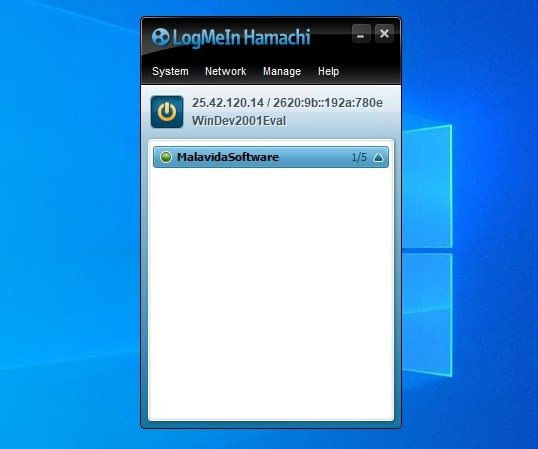
To create a local match, follow these steps:
- Download Logmein Hamachi.
- Search online for necessary files. Search query: 'CFG for creating CS 2 server Hamachi'.
- Open Hamachi, go to 'Network', and create a server with a name and password.
- Launch Counter-Strike 2.
- Replace game folder files with downloaded ones.
- In the console, enter 'connect *ip*'.
Download Logmein Hamachi.
Search online for necessary files. Search query: 'CFG for creating CS 2 server Hamachi'.
Open Hamachi, go to 'Network', and create a server with a name and password.
Launch Counter-Strike 2.
Replace game folder files with downloaded ones.
In the console, enter 'connect *ip*'.
After your friend installs Hamachi, to connect they need to:
- Go to 'Network' tab and join your network using the name and password.
- Copy the IP and enter it in the CS 2 console to join the server.
Go to 'Network' tab and join your network using the name and password.
Copy the IP and enter it in the CS 2 console to join the server.
How to Create a Local Offline Server
If you want to play with a friend over a local network, you’ll need to do some setup. First, open port 27015. The process varies per device, so you’ll need to search online for instructions.
Open the port only for IPv4 and UDP protocols. You can skip this step if computers are on the same local network. If not, closed ports will prevent your friend from joining your server.
Locate the game's .exe file and move it to your desktop. Right-click and select Properties. In the 'Target' field, add '-dedicated -usercon +game_type 0 +game_mode 1 +map de_dust2' after the closing quotes.
Replace 'de_dust2' with the map you wish to use. A list of map names can be found online.
Launch Counter-Strike 2 through Steam, then run the shortcut with added commands and map name. A console window should appear on your screen.
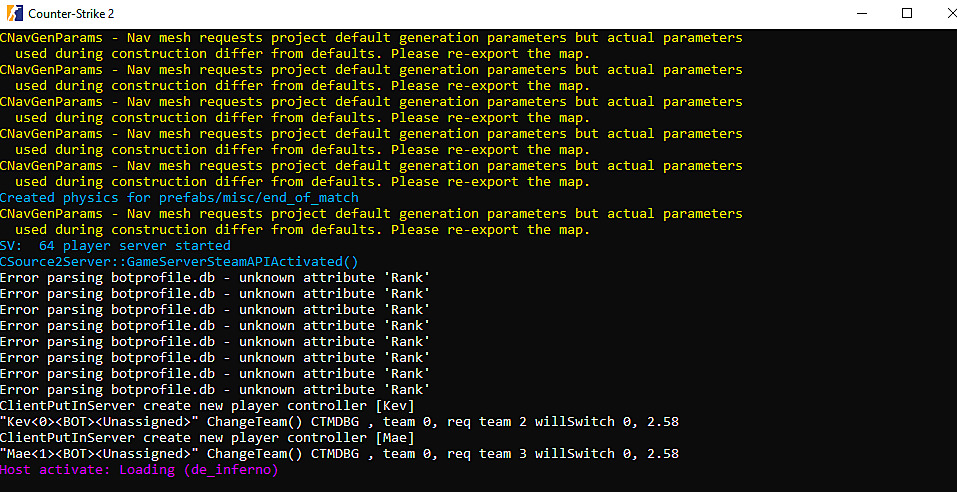
Open the CS 2 window and enter 'connect localhost' in the console. If the server starts, congratulations—the hardest part is behind you. Now you can add custom configs to the shared config folder. To apply them, enter 'exec config_name' in the server console. If applied successfully, the round will restart with new settings.
To allow your friend to connect to your offline server, provide them with your IP. To find it, enter 'status' in your server console. Your friend should enter 'connect ip' in their game console.
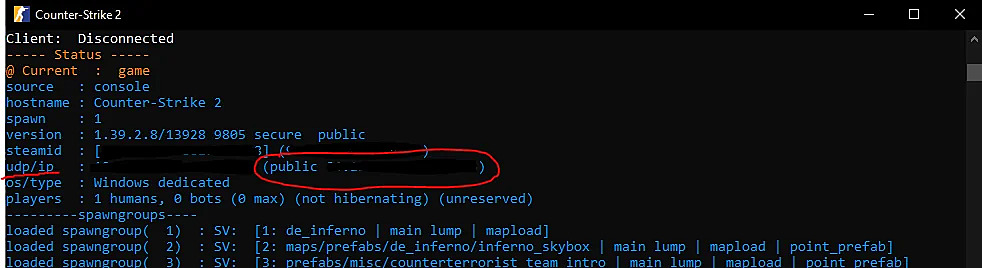
When creating a CS 2 server this way, remember that your computer acts as the host, which increases system load and reduces performance, so expect unstable FPS.
If you exit the server, it remains active as long as the game and console stay running. To change maps, enter 'changelevel map_name' in the server console and reload your config with 'exec filename'.
Possible Issues
You may encounter problems when creating an offline server or lobby. Answers to the most common questions:
- What to do if session is full in CS 2 - likely because you're trying to join via practice mode. This worked before, but now you need to create your own network via third-party apps or console.
- Why am I not receiving a lobby invite from my friend - disable invisible mode if enabled, then restart Steam and CS 2.
- Why is the server ping so high - if using a self-made network, this might be due to weak internet or host location. If playing on an offline server, wait—nearby servers might be full and will free up soon.
- I can't invite my friend to my lobby - exit the game, add CS to firewall exceptions, and relaunch. If that doesn’t work, have your friend invite you instead.
What to do if session is full in CS 2 - likely because you're trying to join via practice mode. This worked before, but now you need to create your own network via third-party apps or console.
Why am I not receiving a lobby invite from my friend - disable invisible mode if enabled, then restart Steam and CS 2.
Why is the server ping so high - if using a self-made network, this might be due to weak internet or host location. If playing on an offline server, wait—nearby servers might be full and will free up soon.
I can't invite my friend to my lobby - exit the game, add CS to firewall exceptions, and relaunch. If that doesn’t work, have your friend invite you instead.
If you carefully follow the advice in this article, you shouldn't face problems creating your own server in CS 2. Note that you shouldn't use a weak PC as a host for an offline server—you won’t be able to play properly. In this case, consider using your friend’s stronger PC or renting an online hosting service for a day to run your server.
If you can't find information on how to open ports on your router, try connecting your computers via a local network—closed ports won’t block access to your match in this case.
If you want to install mods or textures on your server, your friend must download them too to connect. Plugins can be easily added if using online hosting. If adding plugins to a server hosted on your PC, note that this adds significant extra load, possibly causing input lag or crashes.
If your friend can't connect to your server via IP, double-check the address you sent—they likely entered it incorrectly.